
Download Screensaver Factory Pro – screensaver maker, custom screensaver, media screensaver, image slideshow, video screensaver, flash animation, audio integration, personalized screensaver, creative tool, desktop customization
Overview
Screensaver Factory Pro is a utility application designed for users seeking to personalize their computing experience through custom visual displays. The app enables the creation of dynamic screensavers using a variety of media types, including images, videos, flash animations, and audio files. By transforming idle computer time into a creative showcase, the software addresses the need for individualized desktop customization beyond standard built-in options. Its primary function is to serve as a media-based screensaver generator, allowing users to craft unique visual experiences that reflect personal style, memories, or artistic expression.
Target users include hobbyists, digital artists, educators, and professionals who value aesthetic control over their work environments. The app is particularly suited for individuals who want to display personal photo collections, short video clips, or animated content during downtime. While the developer, Screensaver Factory, is listed, no additional background information about the company’s history or other products is available. Real-world use cases include using the software to present family photo slideshows, promote creative projects, or enhance presentation setups in public or shared spaces.
Within the broader utility category, Screensaver Factory Pro occupies a niche role by offering a specialized tool for digital expression. It fills a gap for users who desire more control and creativity than standard screensaver options allow, making it a valuable addition for those interested in personalized computing aesthetics.
Key Features & Functionality
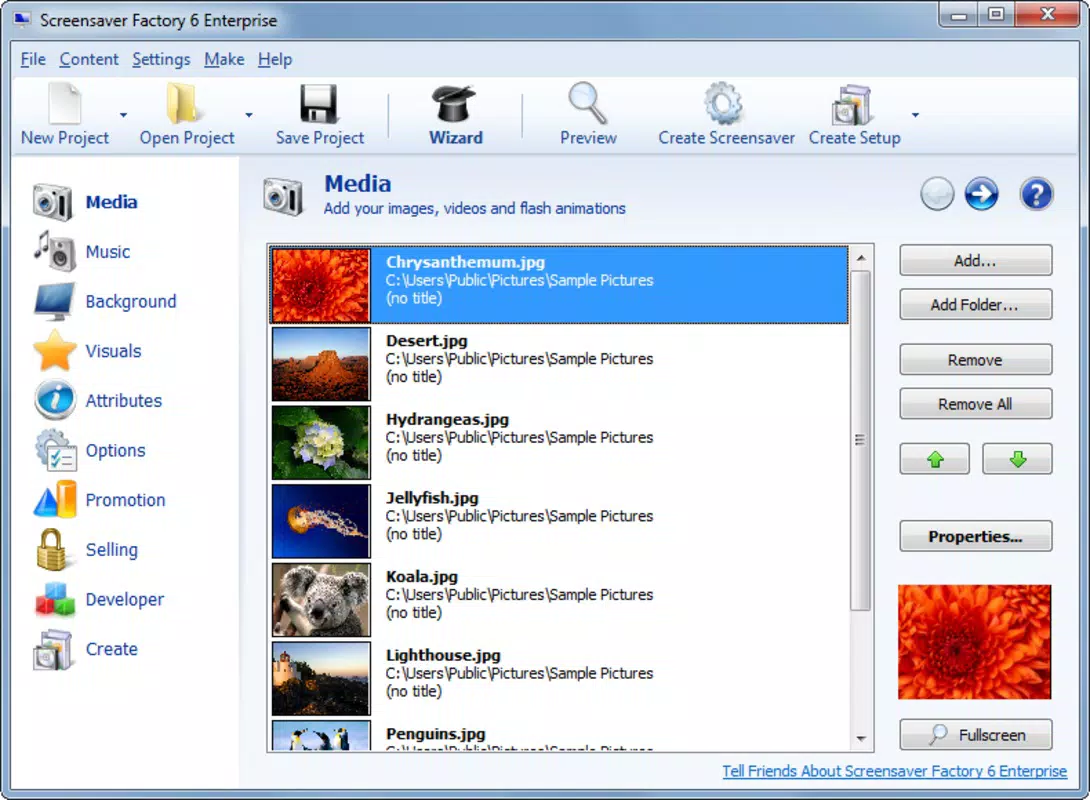
- Customizable Media Options: Users can incorporate photos, videos, flash animations, and audio files such as MP3 or WAV into their screensavers. This integration allows for rich, multi-sensory experiences that go beyond static images.
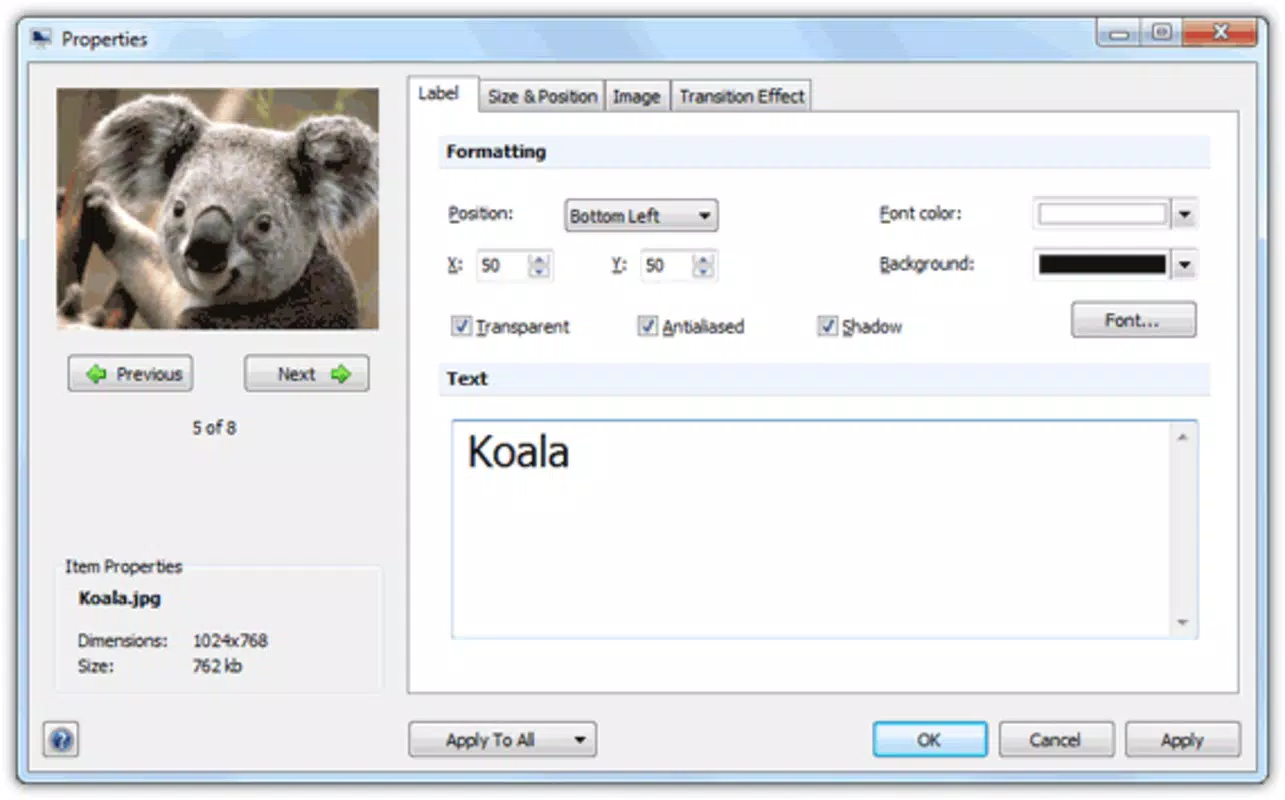
- Interactive Transition Effects: The software provides various transition effects between media elements, enabling smooth or dynamic shifts. Users can adjust display duration and transition types to control pacing and visual flow.
- User-Friendly Interface: Designed with accessibility in mind, the interface features an organized layout and intuitive navigation. Even users with limited technical experience can create complex screensavers without extensive training.
- Executable File Output: Once a screensaver is designed, the app exports it as a standalone executable file. This format simplifies installation and sharing across different Windows systems.
- Showcase Your Creations: Completed screensavers can be activated on personal devices or shared with others, turning idle computer time into a platform for creative expression and personal branding.
For example, a user might compile a slideshow of vacation photos with background music and fade transitions, creating a nostalgic experience that activates when the computer is inactive. Another user could design a screensaver featuring animated graphics and timed video clips to demonstrate a portfolio during meetings. These real-world applications highlight the software’s versatility in both personal and professional contexts.
Interface, UX & Performance
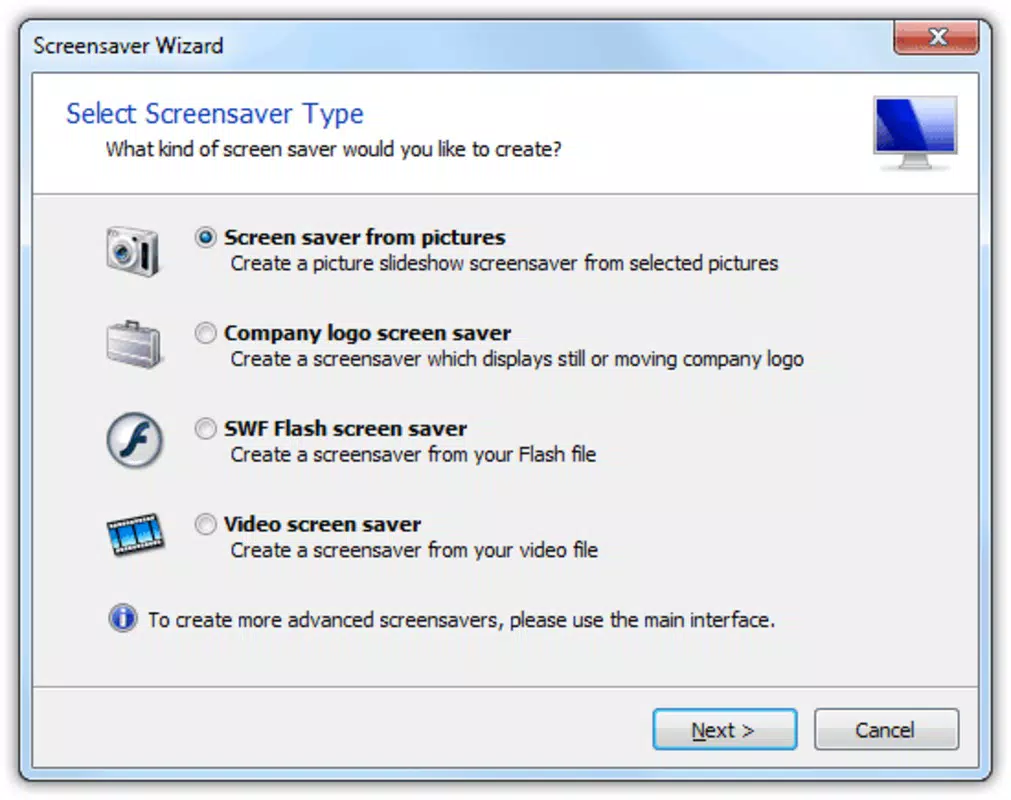
The interface of Screensaver Factory Pro is structured around a clean, organized layout that prioritizes usability. Elements are logically grouped, with media import, timeline editing, and preview functions accessible through clearly labeled sections. Navigation is straightforward, allowing users to move between setup steps without confusion. The visual style leans toward functionality, with minimal distractions to maintain focus on content creation.
Although the developer did not list formal performance metrics, the app is reported to operate smoothly on standard Windows systems. Responsiveness during media editing and preview playback appears consistent, with minimal lag observed during typical use. Stability is maintained across different screen resolutions and display configurations, suggesting broad compatibility with common hardware setups.
Performance may vary depending on the complexity of the media files used. High-resolution videos or large image sets may require more system resources, but the software manages these efficiently within its design parameters. The lack of real-time collaboration or cloud integration means the experience remains locally focused, which may appeal to users prioritizing privacy and offline functionality.
Platform Compatibility & Technical Requirements
Screensaver Factory Pro is designed for the Windows operating system. The current version is 1.0.0, with a file size of 24.8 MB. This relatively compact footprint suggests efficient resource usage and quick installation. The app is compatible with Windows-based desktop and laptop systems, though specific version requirements were not listed by the developer.
Although the developer did not specify minimum OS requirements, the app is expected to run on modern Windows platforms such as Windows 7, 8, 10, and 11. Users should ensure their system meets standard computing capabilities for running multimedia applications. No mobile or cross-platform availability was indicated, confirming that the software is strictly a desktop utility.
For users considering installation, the absence of detailed technical specifications means they should rely on general system compatibility checks. The lack of platform-specific notes for ARM or older architectures suggests a focus on traditional x86-based Windows environments.
Pros and Cons
- Offers flexible media integration including video, audio, and flash animations
- Intuitive interface suitable for beginners and experienced users alike
- Exports screensavers as standalone executable files for easy sharing
- Supports customizable transition effects and timing controls
- Enables creative expression through personalized desktop displays
- No mobile or cross-platform support available
- Outdated release date (2015) may raise concerns about current compatibility
- Limited information on system requirements and updates
- Relies on Windows-only ecosystem
- Price point of $19.95 may be high for a niche utility
FAQ
Is Screensaver Factory Pro available for mobile devices?
The app is designed exclusively for Windows desktop and laptop systems. There is no version available for Android or iOS devices.
Can I use my own audio and video files in the screensaver?
Yes, the software supports the integration of user-provided audio files (MP3, WAV) and video clips, allowing full customization of the audiovisual experience.
How do I install the screensaver after creation?
Once created, the app exports the screensaver as an executable file. Users can run this file to install the screensaver on their Windows system.
Is the software safe to download and use?
As a desktop utility from a known developer, Screensaver Factory Pro is considered secure when downloaded from official sources. Users should avoid third-party sites to prevent malware risks.
Does the app receive regular updates?
The last release was in 2015, and no recent updates have been documented. Users should evaluate compatibility with current Windows versions before installation.
Final Thoughts
Screensaver Factory Pro remains a distinctive tool for users who value creative desktop customization. Its ability to combine images, videos, audio, and animations into a single executable screensaver offers a level of personalization not found in standard system tools. While the software’s age and lack of recent updates may raise concerns, its core functionality remains effective for those seeking a hands-on approach to digital expression.
It is best suited for hobbyists, educators, and professionals who want to showcase personal or project-based content during idle computer time. The app delivers tangible value through its user-friendly design and export flexibility, making it a worthwhile option for niche desktop customization needs.
Download Screensaver Factory Pro now


